HushScan: Private document scanning. Intelligent by design.
HushScan is a privacy-first document scanning app designed to help users scan, clean, organize, extract, and manage documents with AI-powered assistance.
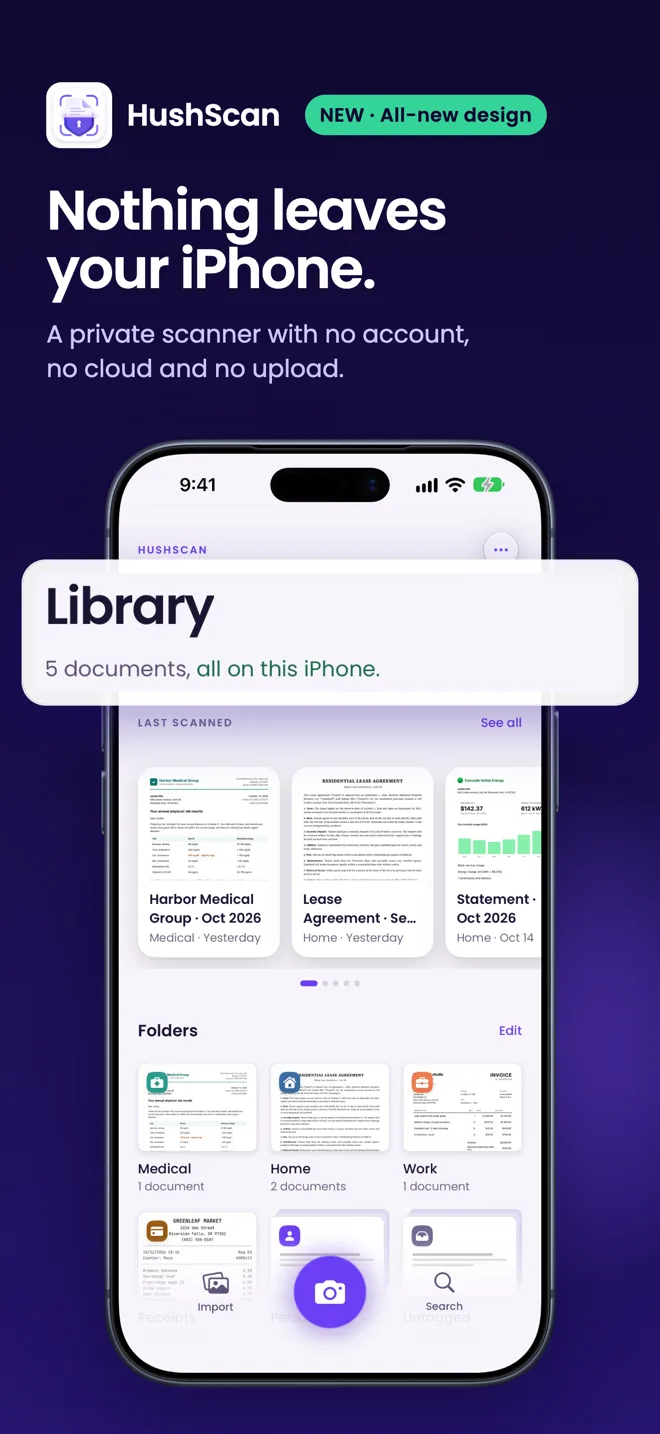
Built for people and professionals who handle sensitive information — everything is processed on your device, with nothing sent to the cloud.
What HushScan does
- Document scanning
- ID scanning
- OCR
- PDF creation
- Receipt capture
- Document organization
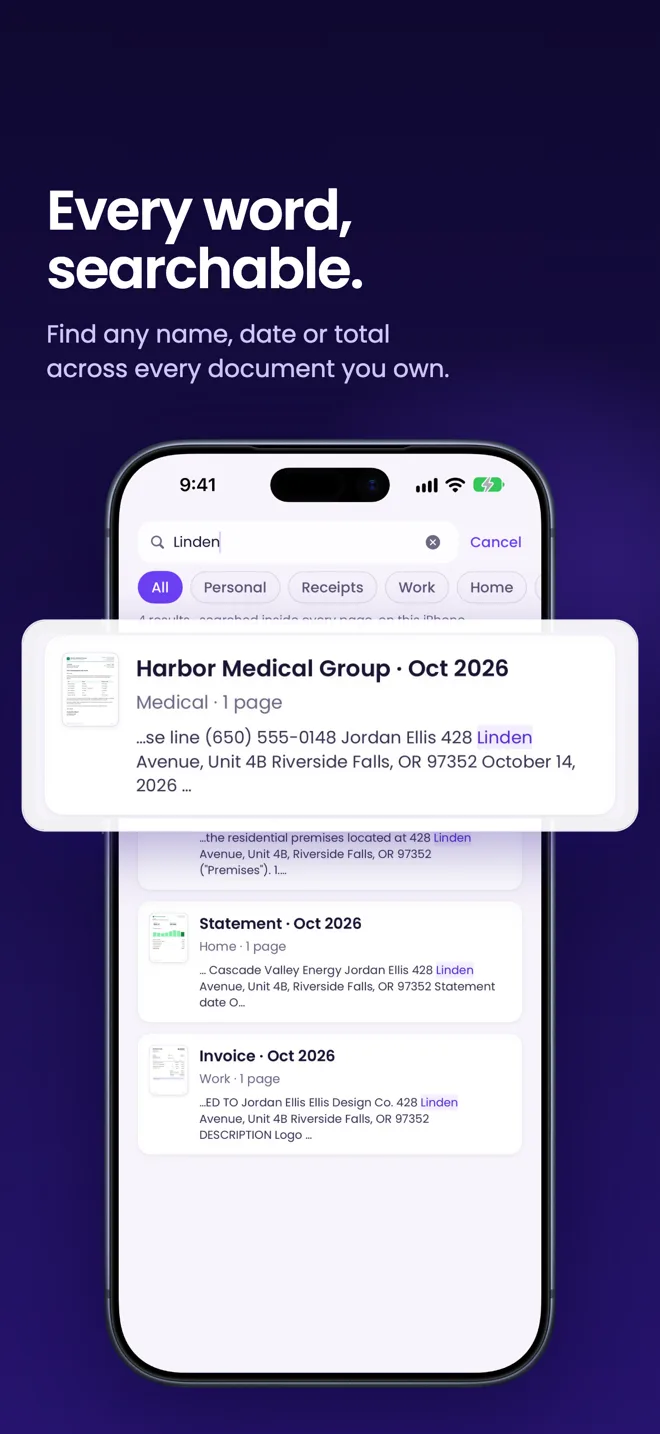
- Private search
- Secure export
Ideal for: Professionals, students, legal users, finance users, healthcare users, and privacy-conscious individuals.
Nothing leaves your iPhone
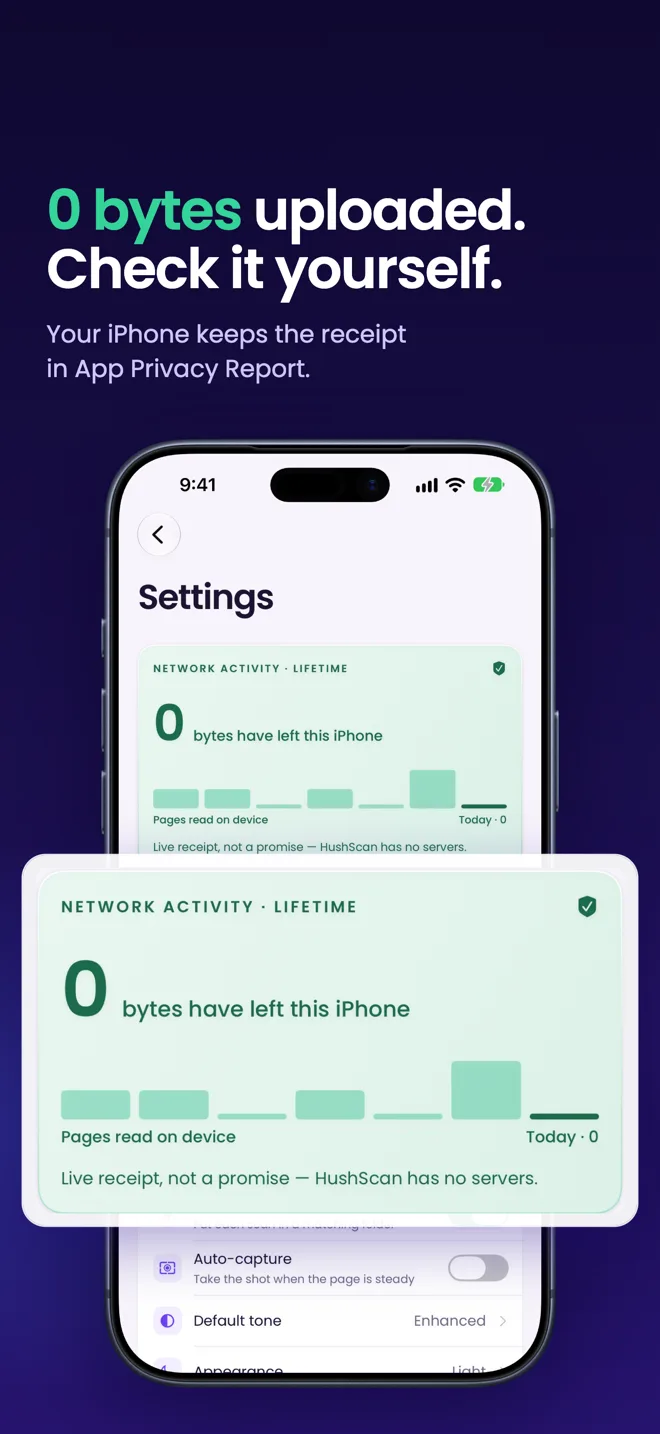
- HushScan contains no networking code. Not networking behind a switch, none at all. There is no path from a document to the internet.
- No account, no servers, no analytics, no third-party SDKs. Text recognition uses Apple’s Vision framework on your iPhone.
- Check it yourself: iOS Settings → Privacy & Security → App Privacy Report lists each app’s network activity. Or use Airplane Mode: nothing degrades.
- App Store privacy label: Data Not Collected.
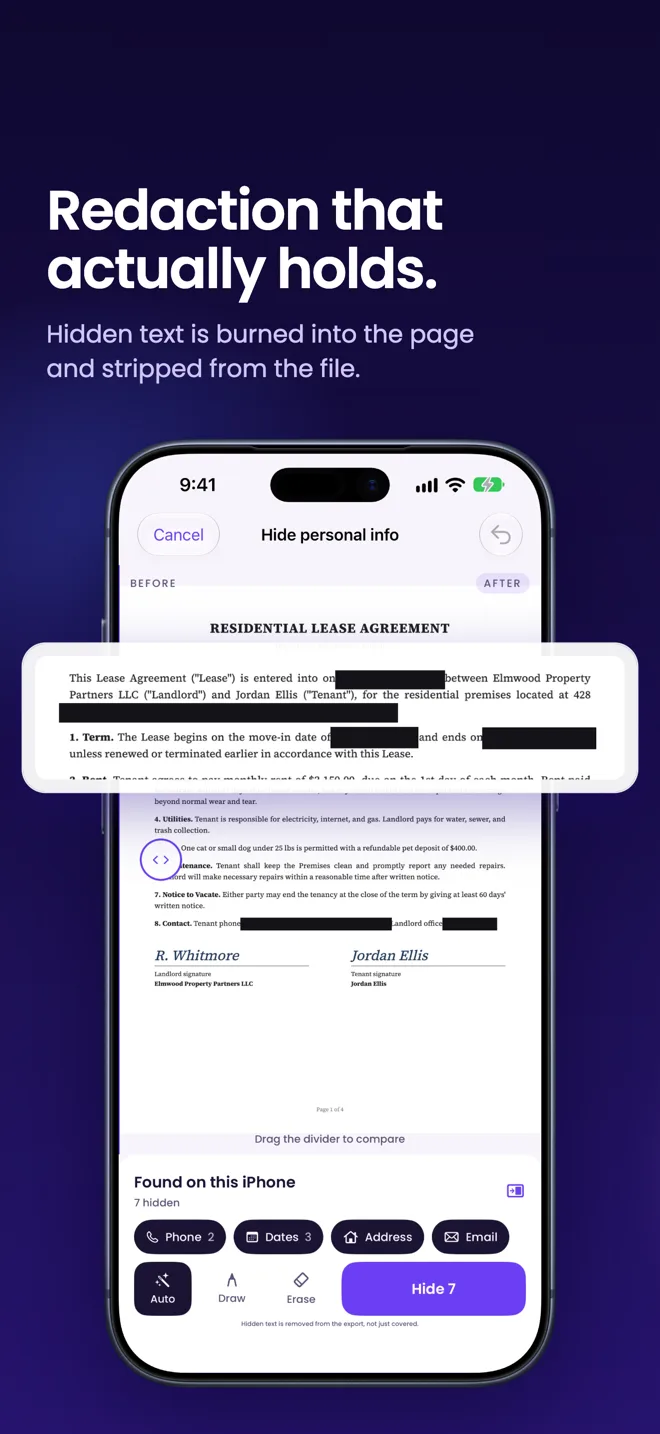
Redaction that holds
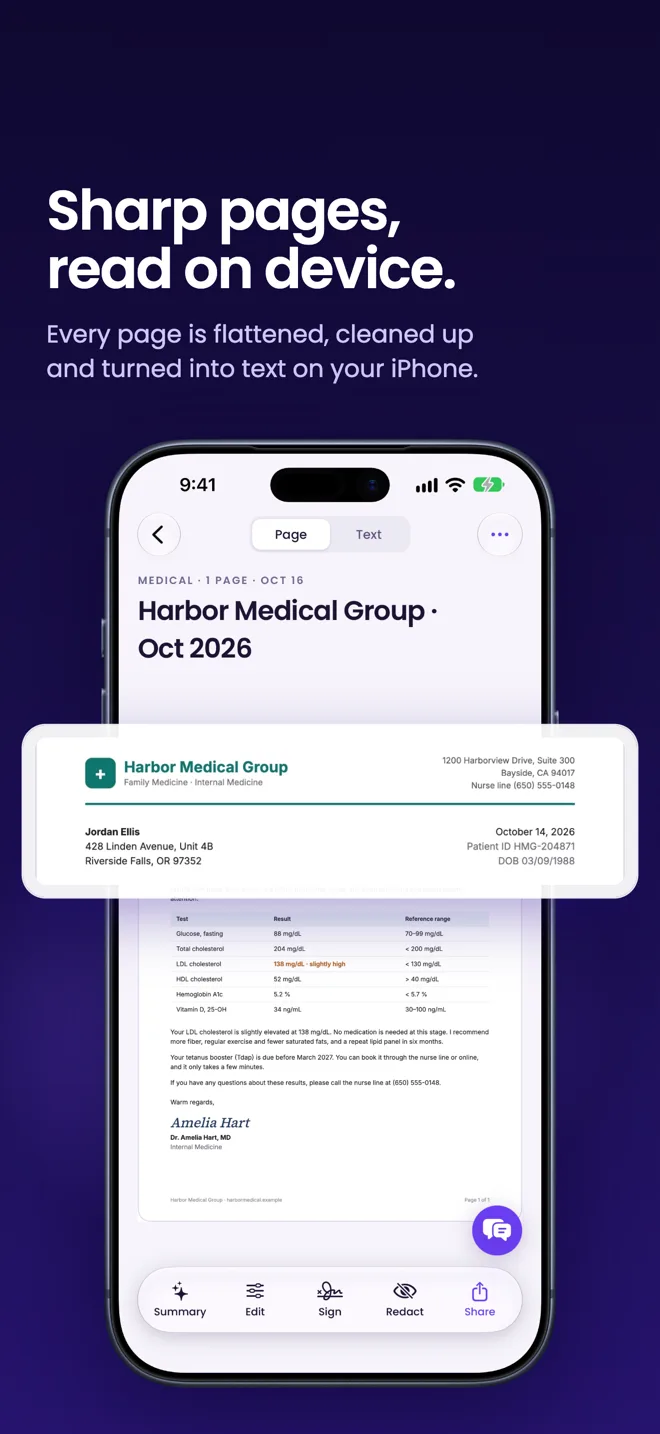
- Card numbers, passport numbers, names and addresses are found for you. One tap covers them, and the pixels are destroyed in the file itself.
- The recognised text layer is discarded too, so nothing can be recovered by selecting, copying or searching the exported file.
- It cannot be undone, so keep the original if you might need it. Detection finds most personal information but is not guaranteed to find all of it: review a document before you share it.
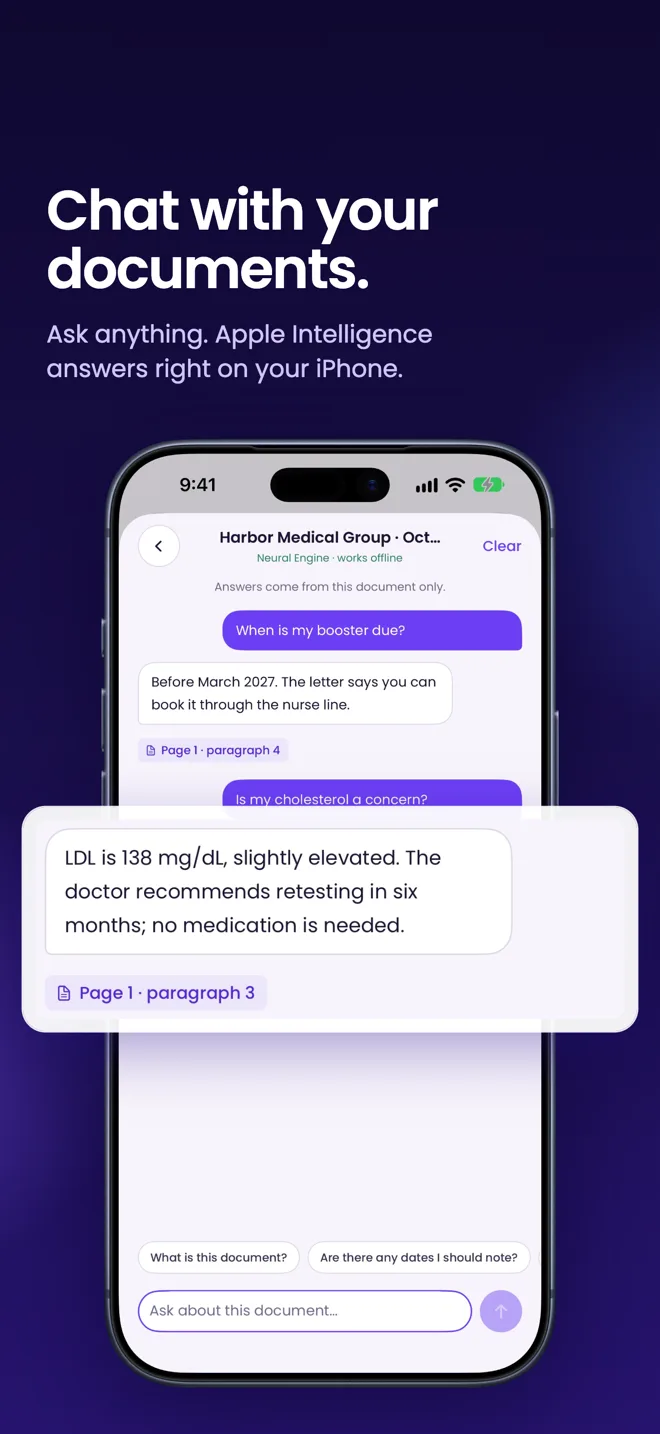
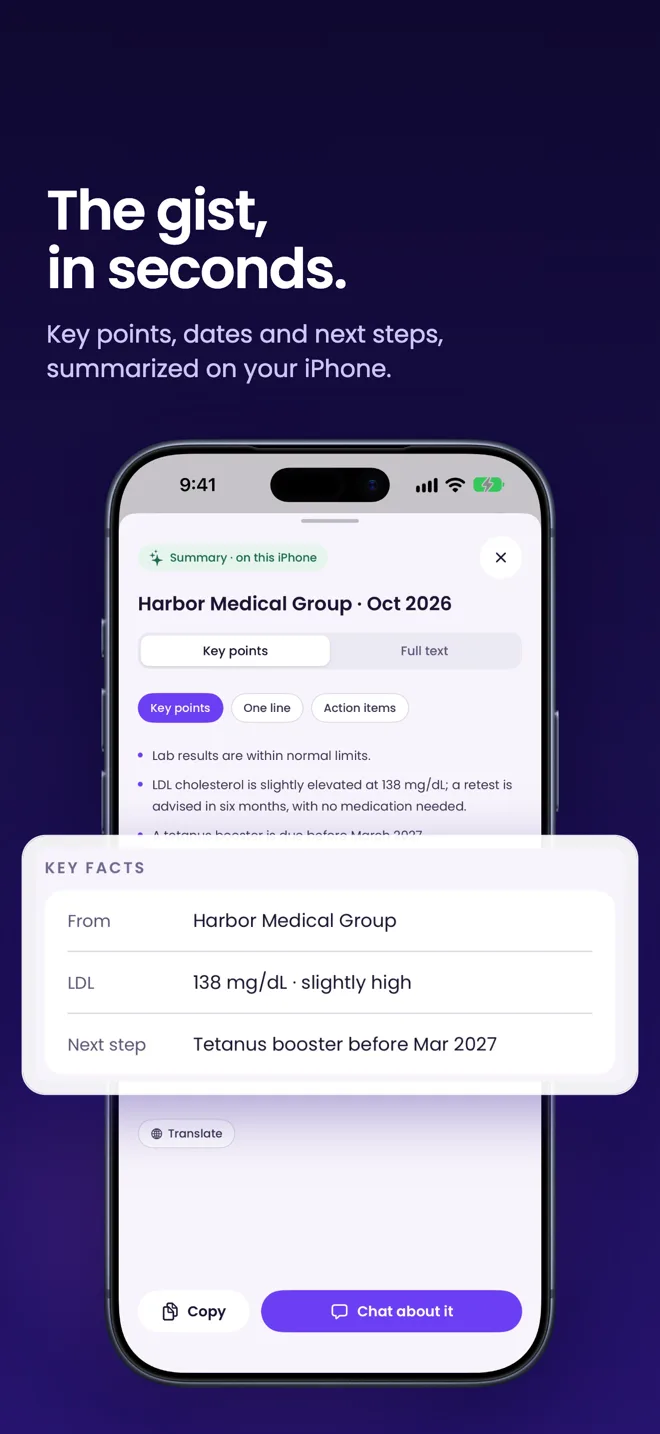
Ask a question. Get the answer.
- Summarise a long contract, translate a form, or ask what the total is and when it expires. Answers are cited back to the line on the page.
- It uses Apple’s on-device Foundation Models, so your text is never sent to us, to Apple, or to anyone else.
- The AI features need an iPhone 15 Pro or later. Scanning, search, redaction, signing and export work on any supported iPhone.
Clean scans, first try
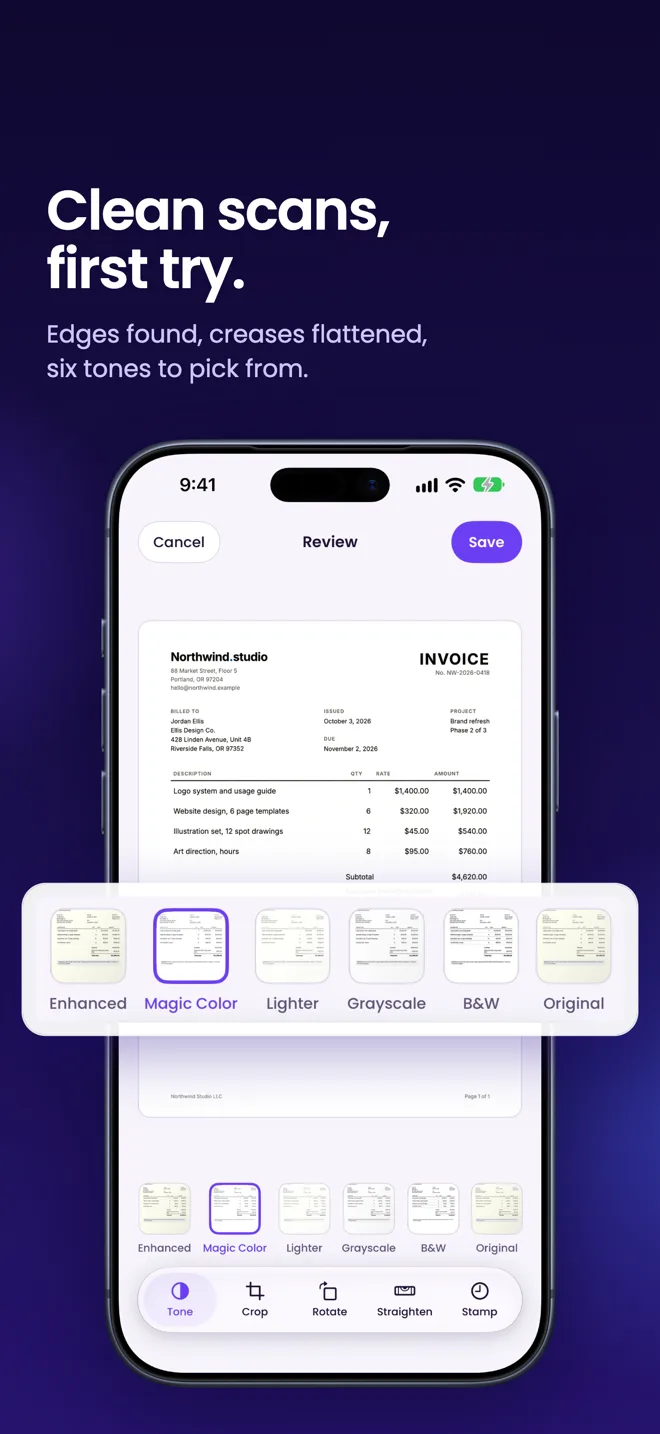
- Edge detection finds the page, corrects the angle and flattens creases and shadows. Six tones, plus crop, rotate and straighten.
- Text is recognised as each page lands, so your whole library is searchable in seconds. Handwriting included, where it can be read.
- Draw a signature once and reuse it. Export a PDF or images to the share sheet, the redacted version included if you made one.
A vault, not a folder
- Lock the app behind Face ID on launch and whenever it goes to the background.
- Files are stored with iOS file protection, so they are encrypted at rest with your passcode.
- Your documents live only on your iPhone, so backing them up is up to you: iCloud Backup includes HushScan’s data, and you can export a copy anywhere you choose.
Every feature is free. Pro lifts the scan cap.
Redaction, on-device AI, document chat, signing and export are all yours on Free. Nothing is locked. Free covers 30 scans a month. Pro makes that unlimited.
- Free, $0. 30 scans per month. Every feature, no watermark, no account.
- Launch gift, Pro free for life. Download HushScan before 1 January 2027 and Pro is yours: unlimited scans, nothing to buy, nothing to redeem. Remove this plan on 1 January 2027.
- Pro Annual, $29.99. Per year. Starts with a 7-day free trial, then $29.99 a year. Cancel any time in Settings.
- Pro Monthly, $3.99. Per month. Renews monthly. Cancel any time in Settings.
- Pro Founding Lifetime, $39.99. Pay once. One payment. No renewal, ever.
Pro Monthly and Pro Annual are auto-renewing subscriptions. Founding Lifetime is a one-time purchase and never renews. Pro Annual begins with a 7-day free trial. You are not charged during the trial. Unless you cancel at least 24 hours before it ends, it converts automatically to $29.99 for the year. The trial applies to the annual plan only. If you buy a subscription while a free trial is running, any unused portion of that trial is forfeited. Payment is charged to your Apple Account at confirmation of purchase. A subscription renews automatically unless auto-renew is turned off at least 24 hours before the end of the current period, and your account is charged for renewal within 24 hours before that period ends. Manage or cancel at any time in Settings, then your name, then Subscriptions on your device, or at apps.apple.com/account/subscriptions. Cancelling stops future renewals. It does not refund the current period. Refunds are handled by Apple, not by us. Request one at reportaproblem.apple.com. Reinstalled the app or moved to a new iPhone? Use Restore Purchases in Settings to recover an entitlement tied to your Apple Account.
Automatic detection is not guaranteed to find all personal information. Review a document yourself before you share it.
HushScan screenshots
Download HushScan on the App Store