HushReceipt: Receipts that file themselves.
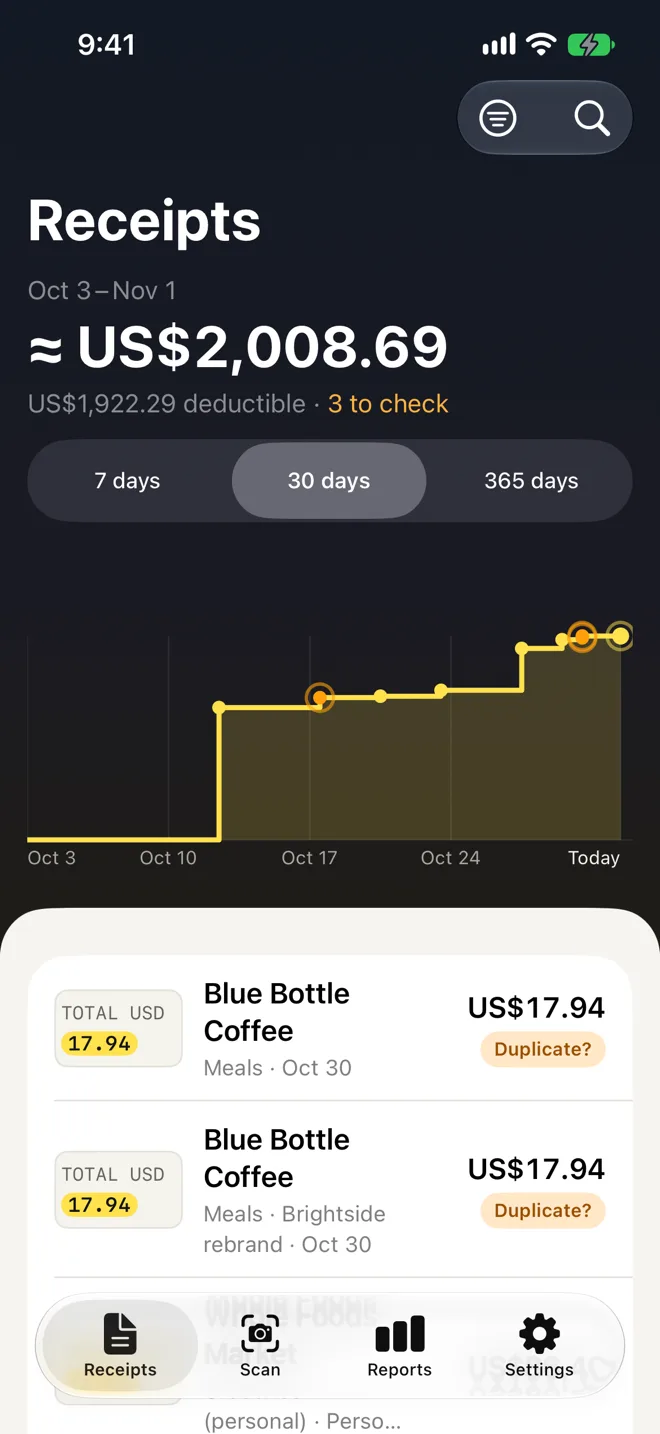
HushReceipt is a receipt scanner for freelancers, small businesses and households. It reads the merchant, date, total, tax and category on your iPhone, keeps the original photo untouched, and files each receipt by month, category, project and tax year. There is no account and no analytics, and the App Store label says Data Not Collected.
Nothing leaves your iPhone unless you switch on sync: iCloud, or a one-way backup to your own Google Drive. Free covers 25 new receipts a month. Pro adds unlimited receipts, reports for your accountant, projects and sync, for $2.99 a month, $19.99 a year or $29.99 once.
What HushReceipt does
- Scan, or import from Photos, Files and the share sheet
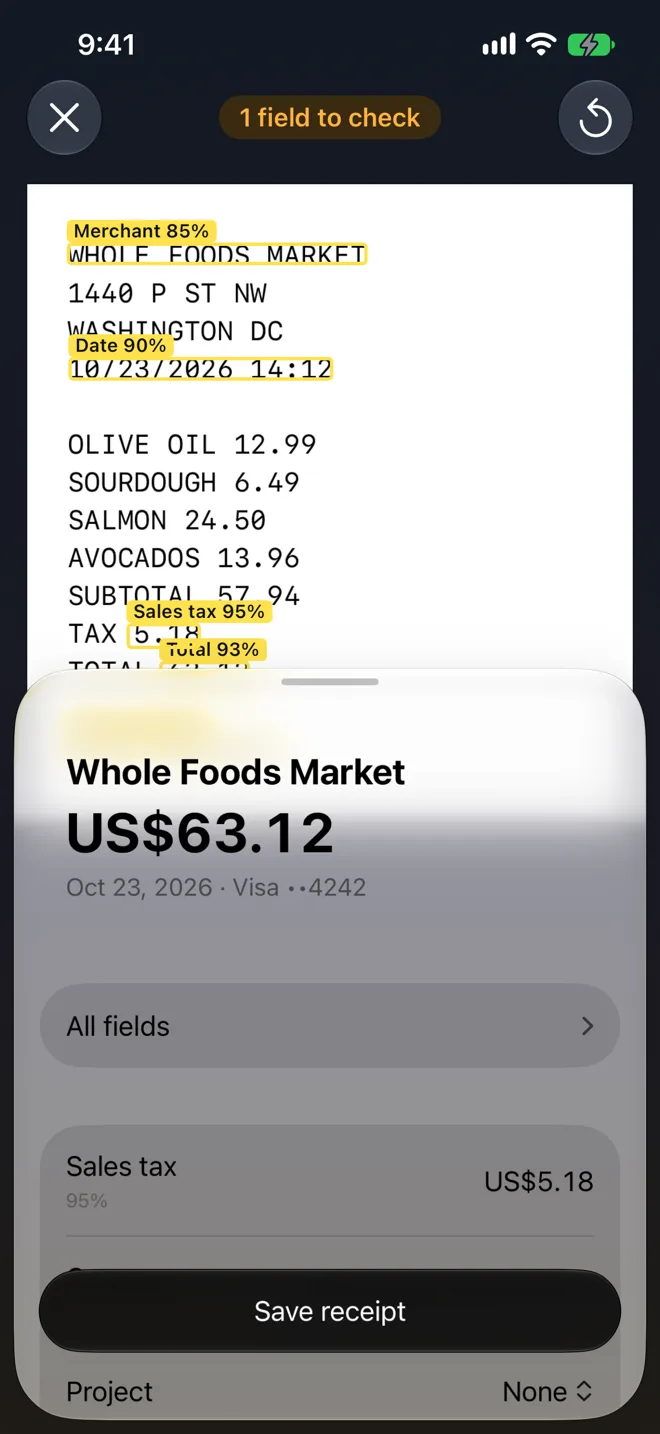
- Merchant, date, total and tax read on your iPhone
- Tax lines for 17 countries, and an Other setting
- Projects and splits for clients and jobs
- PDF, Xero, QuickBooks and audit-pack exports
- Face ID lock and warranty reminders
Ideal for: Freelancers, sole traders and small teams who keep receipts for tax, and anyone who wants warranties and returns in one place without an account.
A receipt in, a filed record out
- Scan with the camera, or import from Photos, Files and the share sheet. Long receipts and several pages become one receipt.
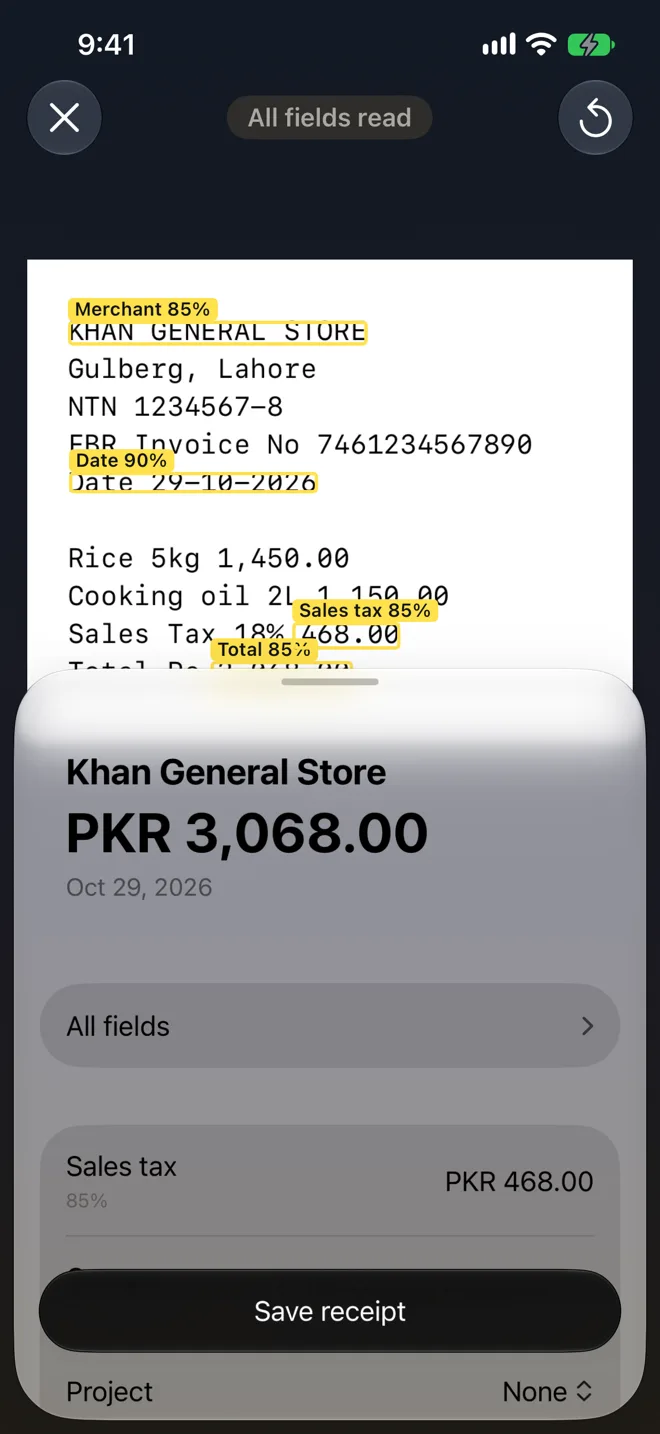
- The merchant, date, total, tax and payment method are read on your iPhone. On devices with Apple Intelligence, a model on the iPhone helps with the merchant and category. Totals are always checked in code.
- A review screen shows each field and how sure the reading is. Tap one to fix it, then save.
- The original photo is kept untouched, with its SHA-256 and capture time. The enhanced copy is stored separately.
- A receipt that matches an earlier one gets a warning, never a block.
Filed by month, category, project and tax year
- Group the list by month, category, merchant, project or tax year, and search by merchant, notes, amount and the printed text.
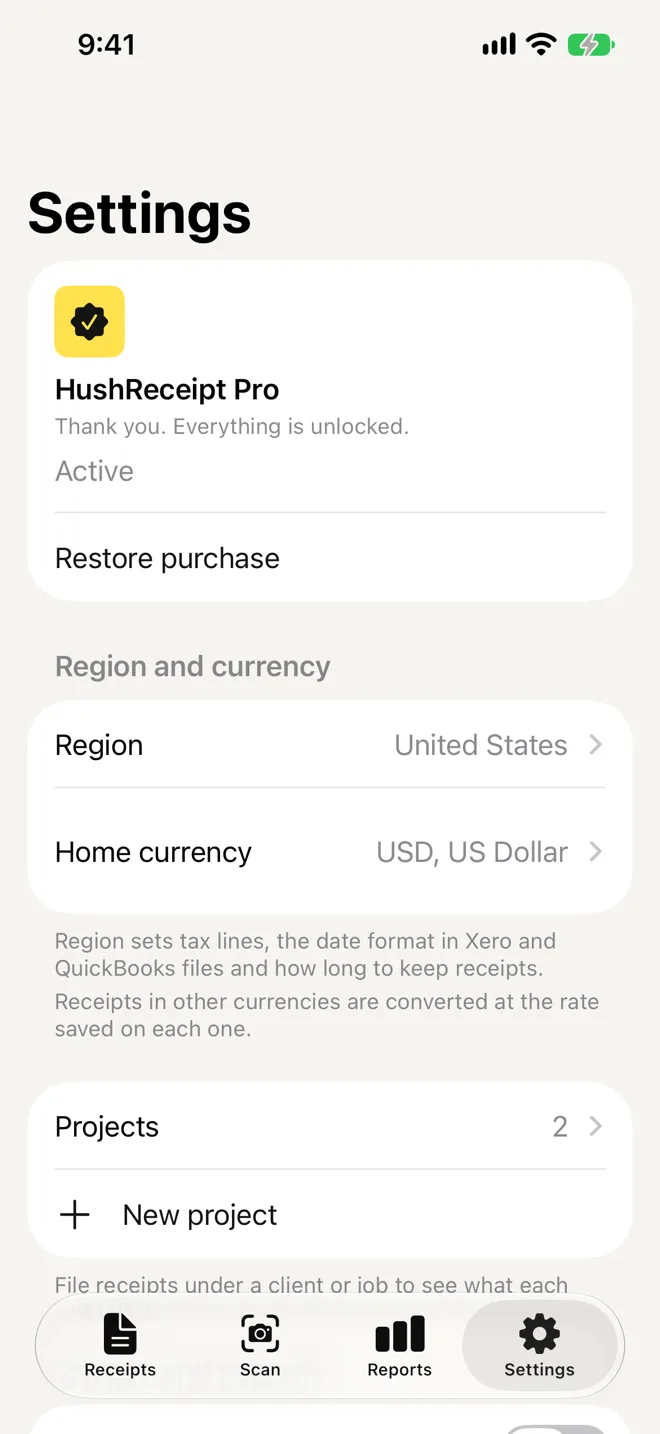
- A tax region setting for 17 countries, plus Other, sets the tax lines, the deductible share of each category and how long to keep receipts. Nothing is ever deleted for you.
- Receipts in other currencies are converted at the rate saved on each one, from a table that ships with the app.
- A warranty or return date printed on a receipt is read and can remind you before it ends.
Exports your accountant can use
- A CSV of your own receipts and a full backup file are free.
- With Pro: a PDF report, Xero and QuickBooks files, and an audit pack with the images, a CSV, a JSON file and a SHA-256 manifest.
- Projects and splits show what each client or job costs, and one receipt can be split across categories.
- Exports leave out the printed text layer and the photo’s metadata unless you ask to keep them.
No account. No analytics. Sync is optional.
- No sign-in, no analytics and no third-party SDKs. Scanning, reading, search and reports work in Airplane Mode.
- Nothing leaves your iPhone unless you switch on sync. With Pro you can sync through iCloud, or keep a one-way backup in your own Google Drive.
- Lock HushReceipt with Face ID or your passcode. It also hides the app in the app switcher.
- App Store privacy label: Data Not Collected.
Free to scan. Pro for the deep tools.
Scanning, reading, search, reports on screen, the Face ID lock and your own CSV and backup are free. Pro lifts the monthly limit and adds the tools for your accountant and for sync. Your saved receipts are never locked.
- Free, $0. 25 new receipts a month. Everything you saved stays yours, free or not.
- Pro Monthly, $2.99. Per month. Renews monthly. Cancel any time in Settings.
- Pro Annual, $19.99. Per year. Renews yearly. Cancel any time in Settings.
- Pro Lifetime, $29.99. Pay once. One payment. No renewal, ever.
Pro Monthly and Pro Annual are auto-renewing subscriptions. Pro Lifetime is a one-time purchase and never renews. Prices are in USD and vary by region. Payment is charged to your Apple Account at confirmation of purchase. A subscription renews automatically unless auto-renew is turned off at least 24 hours before the end of the current period, and your account is charged for renewal within 24 hours before that period ends. Manage or cancel at any time in Settings, then your name, then Subscriptions on your device, or at apps.apple.com/account/subscriptions. Cancelling stops future renewals. It does not refund the current period. Refunds are handled by Apple, not by us. Request one at reportaproblem.apple.com. Reinstalled the app or moved to a new iPhone? Use Restore purchase in Settings to recover an entitlement tied to your Apple Account.
HushReceipt organises your records. It is not tax, legal or accounting advice, and a reading can be wrong, so check the figures before you file.
HushReceipt screenshots